How it works
I wanted to block groups of sites on a schedule, not black out the whole internet. Blockers like SelfControl block everything for a set time and ask for your password each time you start one.
Blocking a site means editing /etc/hosts, which needs root. A schedule can't stop to ask for a password every time it starts, and running the whole app as root is a bad idea. So I split Blocky into three parts.
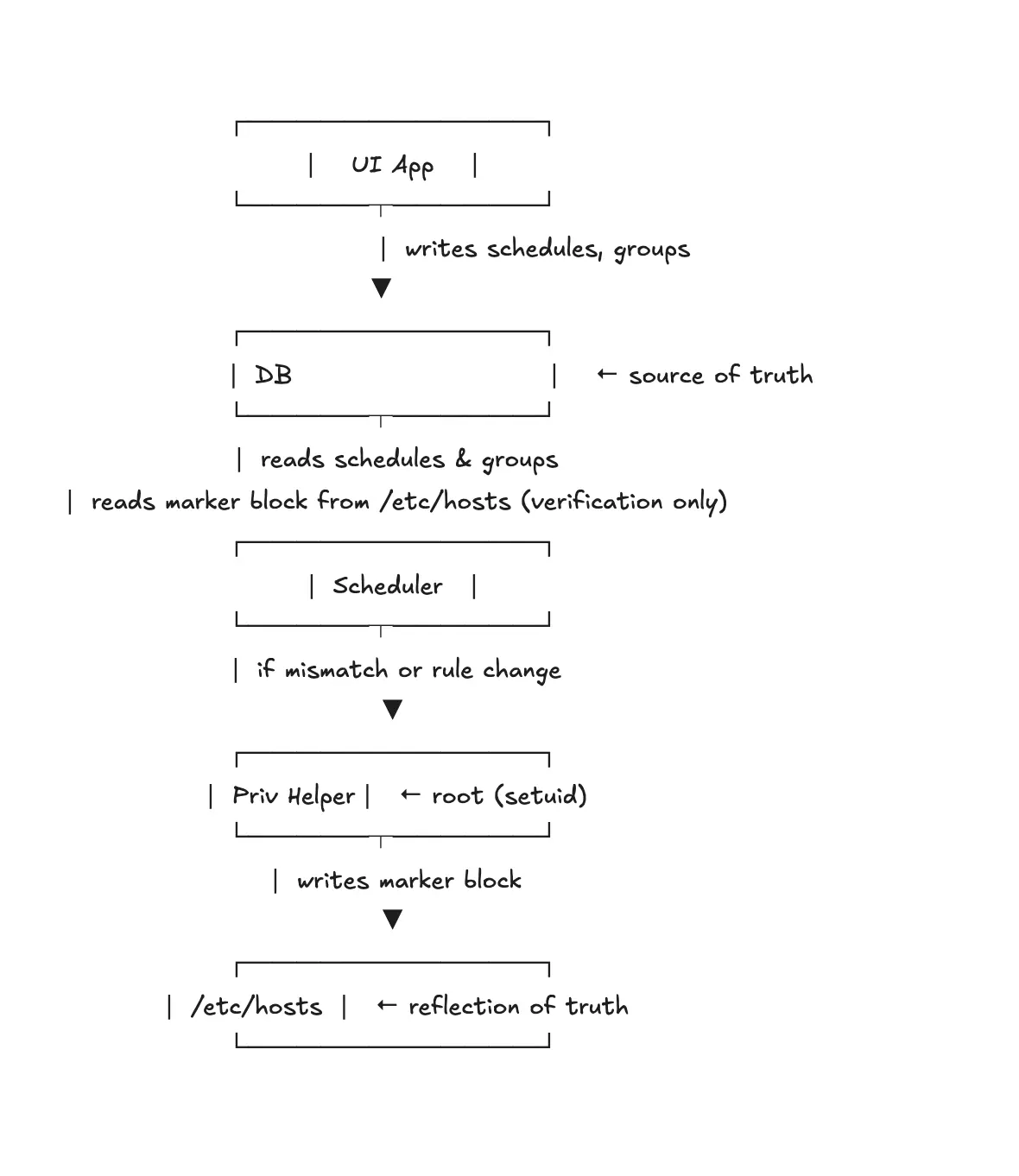
A Tauri and React app saves groups and schedules to SQLite and never runs as root. A small Rust helper is the only part allowed to touch /etc/hosts. A Rust scheduler runs every 60 seconds under launchd, works out which blocks should be on and tells the helper.
Each run, the scheduler also checks /etc/hosts against the database. If someone edits the file to get around a block, the block comes back.
What it does
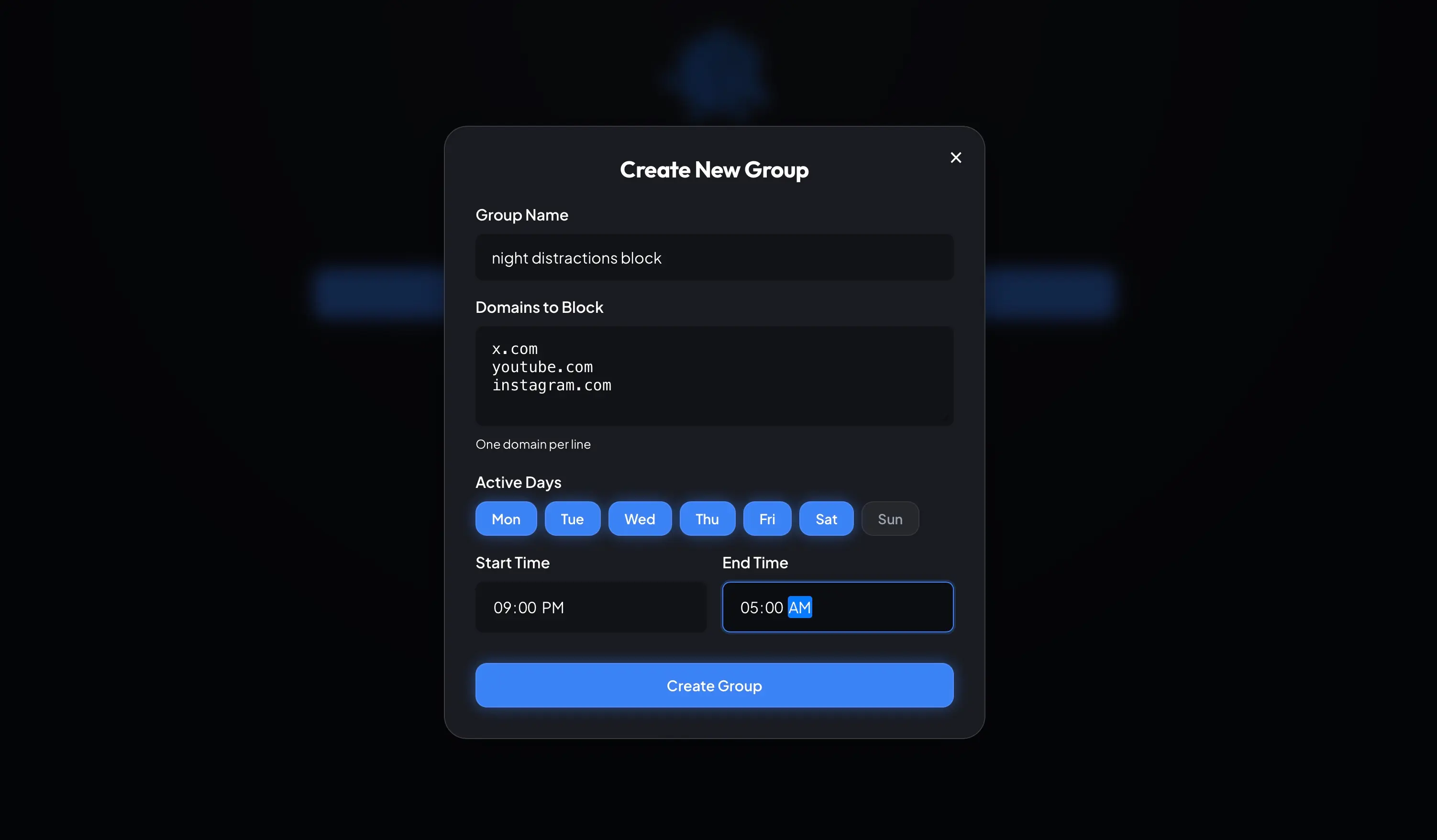
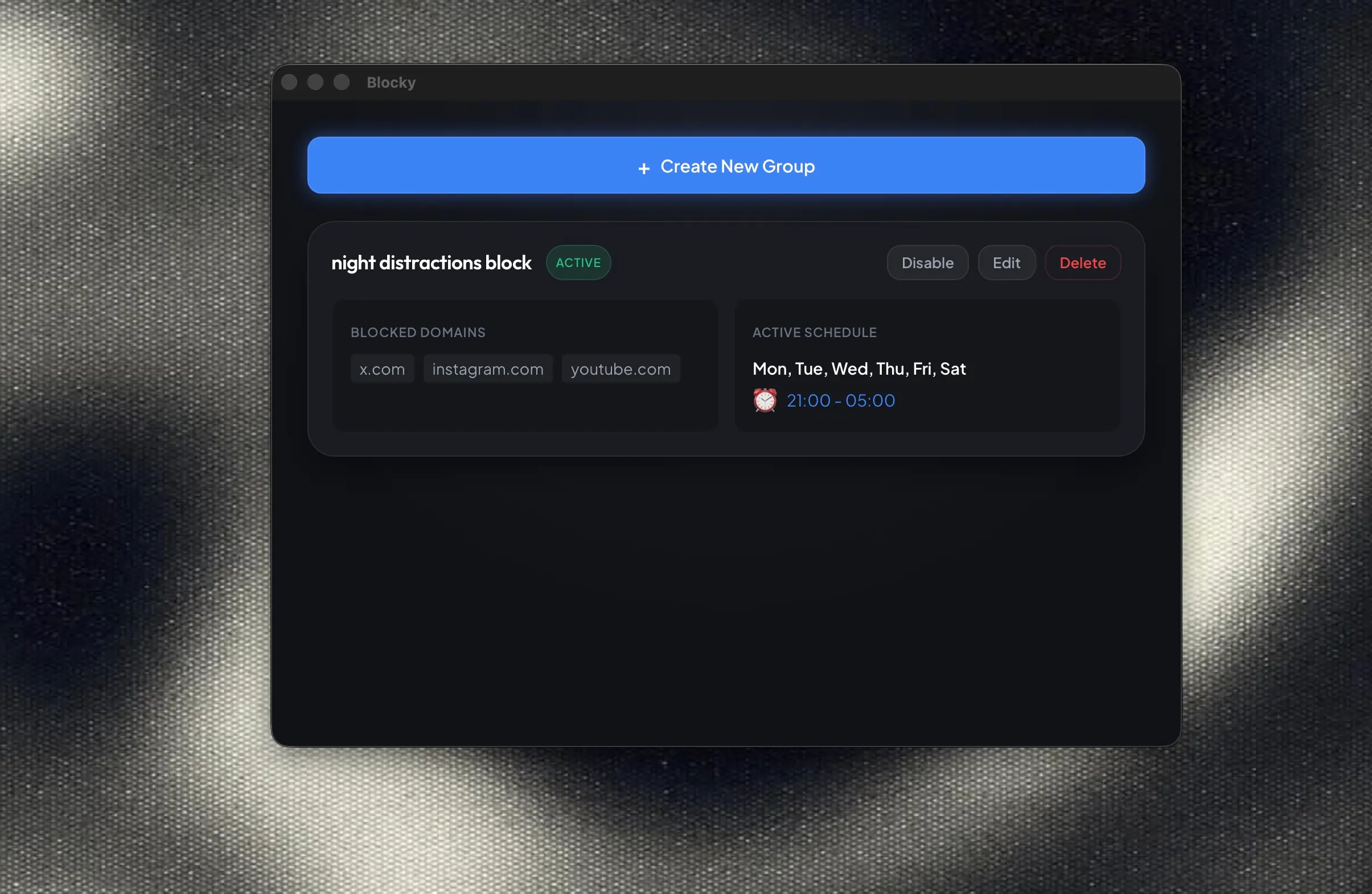
- Groups of sites, like Social Media or News, each with its own days and times.
- Schedules that cross midnight, like 9 PM to 5 AM.
- One password prompt at install, then never again.
- Puts blocks back if /etc/hosts is edited by hand.
- Starts on login and restarts if it crashes.
Note to self
Early versions rewrote /etc/hosts in an endless loop, because the helper wrote domains differently from how the scheduler checked them. Normalizing domains before comparing fixed it.
A schedule from 22:00 to 06:00 is not just start < now < end. It has to check whether today or yesterday was the start day.
My first Rust project. I learned enough to debug it and shape the design.
Stack
Rust / Tauri 2 / React / TypeScript / SQLite / Diesel / launchd / Homebrew